
The email looked exactly like it came from your web host. Same logo, same friendly tone, and a quick request to reset your hosting password before the weekend.
That was the point.
AI has made emails like that cheap to write and hard to spot. And it’s only one of the ways attackers are going after small business websites right now, in Montana and everywhere else. Most are built so you never notice, until a customer calls and you’re the one asking, “How did they hack my website?”
What changed: AI writes the bait
For years, the advice was simple: look for bad spelling and odd grammar. That advice is out of date.
AI tools can read your website, your vendors’ websites and your social posts, then write an email in the right voice with no mistakes at all. Hoxhunt’s 2026 Phishing Trends Report found AI-written phishing had held at 1% to 4% of reported threats. In December 2025, it jumped to 56%, and it was still 40% in January 2026.
For a small business, the usual bait is a login that controls something important:
- Your web host or domain registrar
- Your website’s admin login
- Your Microsoft 365 or Google Workspace email
- Your Google Business Profile
One of those logins is often all an attacker needs to get into your website. That’s why website security now starts in your inbox, not just on your server.
The stealth hack: your site looks fine, but it isn’t
Most hacks today don’t deface your homepage. A hacked website is worth more to an attacker if it keeps working and nobody looks too closely.
GoDaddy’s security team reviewed a year of infected websites in its 2024 website malware report. Malware and redirects showed up in 74.7% of infections, and search spam in 38.4% (many sites had both). Here’s what hacks like these can look like on a small business site:
- Your website sends spam. A hidden script can use your server to send junk email. If that happens, your customers get spam “from” you, and your real emails, like quotes and invoices, can start landing in spam folders too.
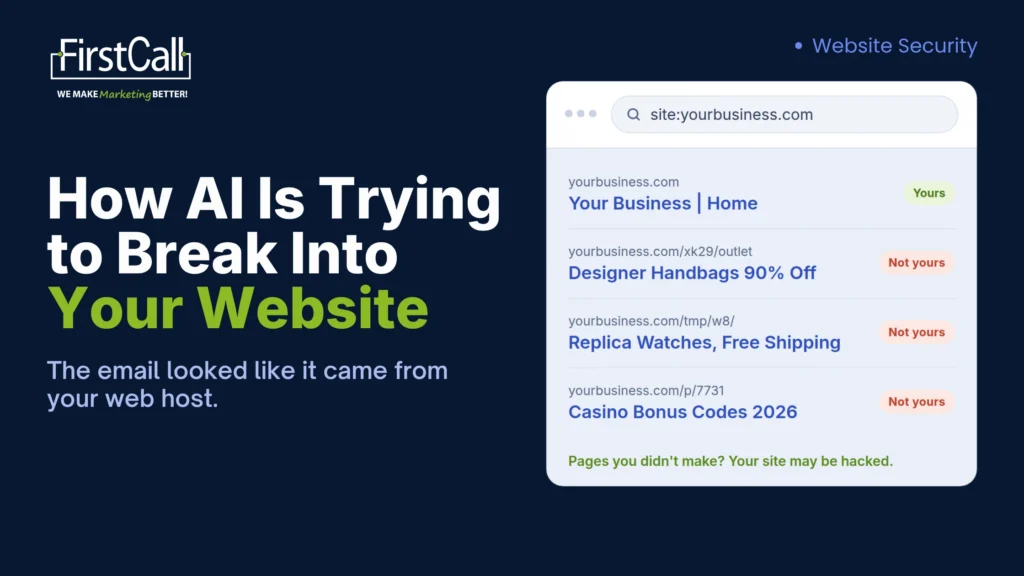
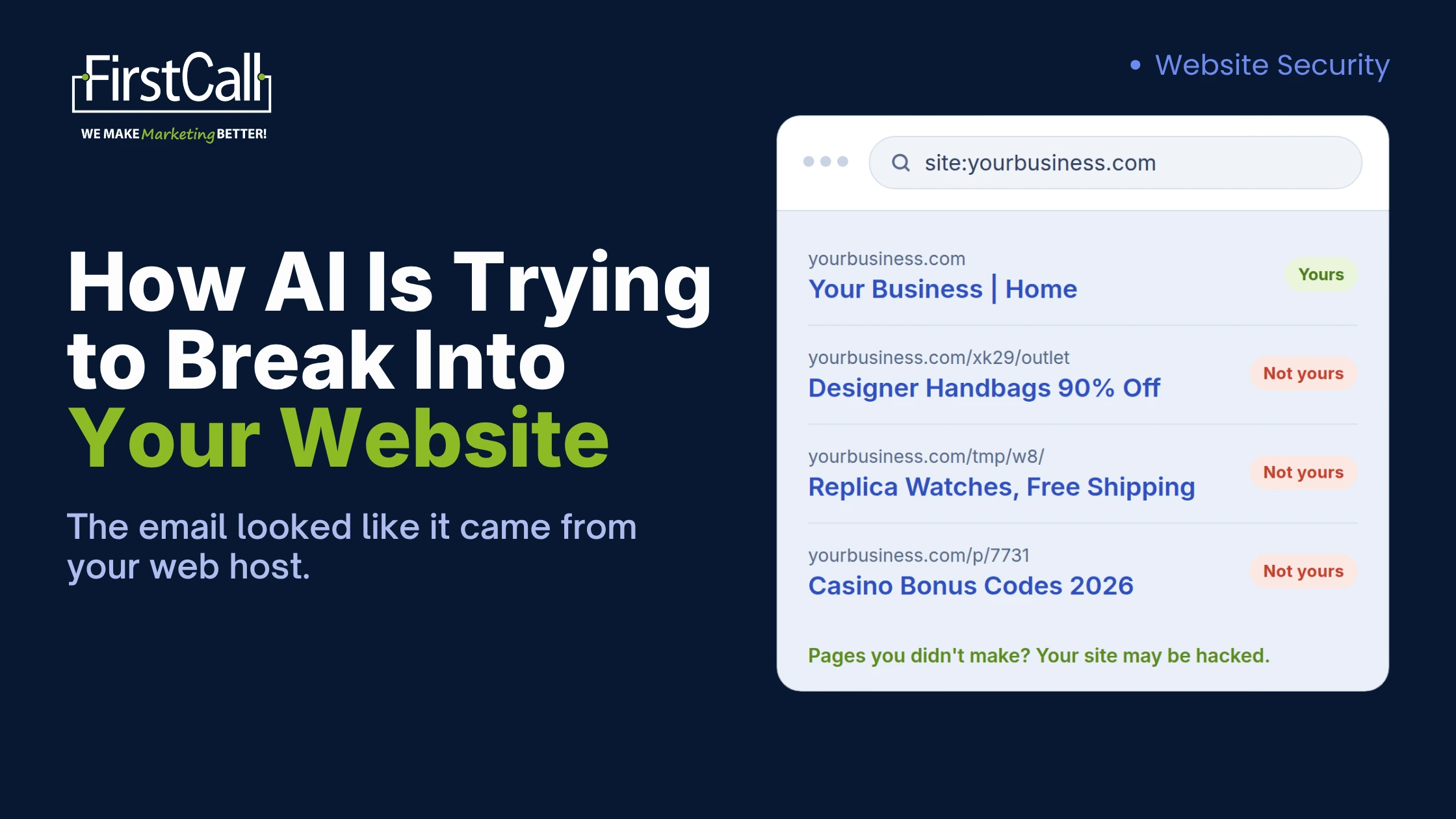
- Pages you didn’t make. Attackers add hundreds of pages in hidden folders, often selling knockoff goods in another language. Some hacks show you a normal page while showing Google the spam, and some add the attacker as an owner of your Google Search Console account (Google’s web.dev guide).
- Links you didn’t add. Hidden links to gambling or pharmacy sites get slipped into your pages. Visitors can’t see them. Google can.
- Visitors sent somewhere else. People who click your site from a Google search land on a scam page, while you type your address in directly and see your site as normal.
A construction company, a dental office and a lodge in Big Sky all look the same to the bots doing this. It isn’t personal. Your site’s reputation, your server and your email domain are what’s worth taking.
How did they hack my website? The usual ways in
It’s rarely clever. Verizon’s 2026 Data Breach Investigations Report, which covers breaches at businesses of every size, found 31% started with an exploited software vulnerability. On a small business website, the way in is usually one of these:
- Outdated plugins or themes that stopped getting security fixes
- A stolen password, often from a phishing email like the one above
- Old logins nobody removed, like a former employee or the designer who built the site years ago
- No firewall, so automated attacks reach your site unfiltered
How do I check my website for malware? 5 checks for this week
You don’t need to be technical to run these:
- Search for your own pages. Type site:yourdomain.com into Google. Look for pages you didn’t create, foreign-language text or products you don’t sell.
- Check Google Search Console. Open the Security Issues report, then Settings, then Users and permissions. Remove any owner you don’t recognize. If you haven’t set up Search Console, it’s free and worth doing today.
- Run a free outside scan. Put your address into Sucuri SiteCheck and check your status in Google Safe Browsing.
- Check your email. Ask a customer whether your emails have started landing in spam, and watch for bounce-backs from emails you never sent.
- Review who can log in. Open your website’s user list, remove anyone you can’t put a name to, and turn on two-factor login for everyone else.
Think your website was hacked? What to do first
Don’t just delete the strange pages. Hacks usually leave a back door so the attacker can get back in, and deleting what you can see won’t close it.
Take a backup first, then get the files cleaned properly: the core software, themes and plugins reinstalled, and the hidden scripts removed. Once the site is clean, change every password and turn on two-factor login.
Not sure what your website is quietly doing?
Our team builds websites for Montana businesses and handles the hosting, security and maintenance behind them. We’d rather you find a problem this week than hear about it from a customer.
Book a MarketingStack Challenge. It’s a free 30-minute working session where we run these checks on your website with you, look at your marketing alongside it, and send you a written report with clear next steps.
FAQ
How did they hack my website? Most small business websites are hacked through outdated plugins or themes, a stolen or reused password, or an old login nobody removed. Bots scan for these weaknesses automatically, so your site doesn’t need to be a target to get hit.
How do I check my website for malware? Start with a site:yourdomain.com search on Google, the Security Issues report in Google Search Console and a free outside scan such as Sucuri SiteCheck. If anything looks off, have the files on your server scanned too.
Why would anyone hack a small business website? Because it’s cheap and automated. Bots don’t check who you are before they try the same weaknesses on every site they find, and a small business site with an old plugin is as easy to use as any other.