
You pay someone to manage your website. Do they ever check it for malware?
Most small business owners don’t know, and that’s not a failing. Website management plans are good at selling peace of mind and less good at spelling out what’s included. You get a monthly invoice, the site stays up, and everyone assumes security is handled.
Sometimes it is. Often it’s “we update things when we can.” And with next year’s budget on the table, now is a good time to find out what you’re actually paying for.
What website management usually covers
Ask around and most plans include some mix of:
- Hosting, so the site stays online
- Small content edits when you ask
- Software and plugin updates, on a schedule or when someone remembers
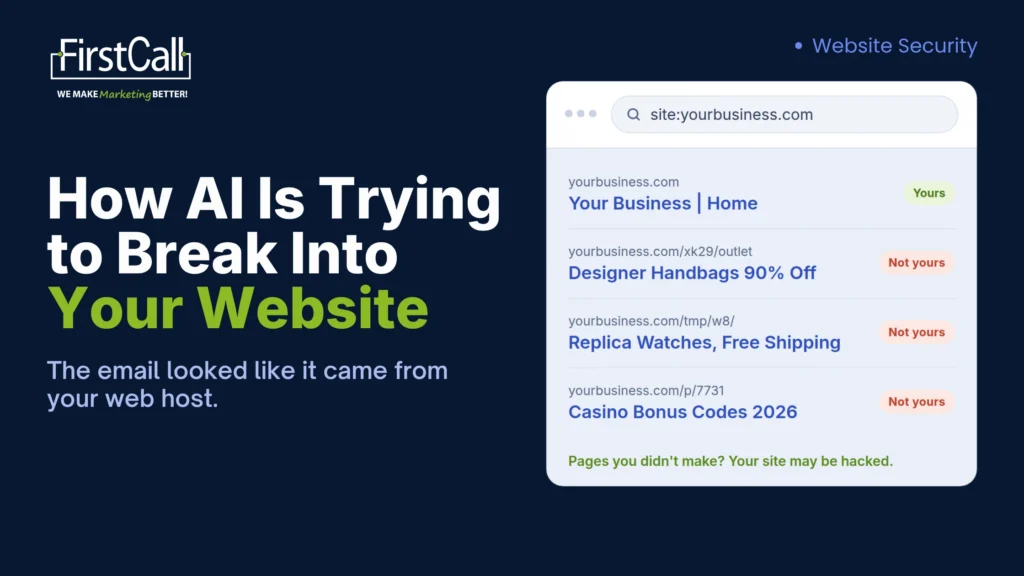
That’s useful. It isn’t security. AI has made attacks on small business websites cheap and constant (here’s how AI is trying to break into your website right now), and a hacked site can keep looking perfectly normal.
Why updates alone won’t protect your site
Updates matter, but they can’t fix a hole nobody has patched yet. On WordPress sites, the gap is real. Patchstack’s State of WordPress Security in 2026 found that 91% of new WordPress vulnerabilities in 2025 were in plugins, and 46% weren’t fixed by the time they were made public. For those, there was no update to install.
That’s why security-first website management works in three layers, not one.
Prevent, watch, recover: what to expect from your website management
Prevent: make the site harder to break into
- Updates at least monthly, with a backup taken first so a bad update can be rolled back
- A web application firewall that blocks known attacks before they reach your site
- Two-factor login on every admin account, and old accounts removed
Watch: find problems before your customers do
- A daily malware scan of the site’s files, not just its public pages
- Alerts for downtime and expiring security certificates
- Google Search Console set up, with security alerts going to a named person
Recover: get back to normal fast
- Backups stored away from the website’s server, with a restore tested every few months
- A written plan for who cleans up a hack, how fast, and what you tell customers
Think about what’s on your site. A clinic’s patient intake form, a lodge’s booking page and a contractor’s quote request all collect details people trust you with. If your plan only covers the Prevent layer, nobody is watching, and nobody has practiced the recovery.
Online website security check: free tools you can run yourself
You don’t need to wait for your provider to take a first look. Our five-step check in how AI is trying to break into your website – How AI is trying to break into your website] covers the basics, from a site: search on Google to the Security Issues report in Search Console. One free security tool it doesn’t cover is SSL Labs, which checks your security certificate and how your connection is set up. Run both before you talk to your provider, so you know what you’re asking about.
How to scan your website for malware properly
The tools above look at your site from the outside, the way a visitor sees it. They can’t see the files on your server, and that’s where hidden malware can sit.
To scan your website for malware properly, pair an outside check with a server-side scan. On WordPress, that’s a security plugin such as Wordfence. On other platforms, it’s usually your host’s malware scanner. If you use a hosted builder like Squarespace or Wix, the platform handles the server side, and your job is logins, email settings and any add-ons you’ve installed.
Ask your provider for it in writing
Copy this, fill in the names and send it to whoever manages your website:
Hi [name], a quick check on our website plan. Could you confirm in writing:
How often are updates applied, and is a backup taken first?
Do you scan our site’s files for malware, and who sees the results?
Where are our backups stored, and when was one last restored?
If our site is hacked, who fixes it and how quickly?
Thanks, [your name]
Clear answers are a good sign. “That’s not included” is useful too. It tells you exactly what to add.
Before you set next year’s website budget
Fall is when a lot of Montana businesses plan next year’s spending. Your website plan deserves a line-by-line look, because it’s easy to pay for the wrong things:
- Paying twice. Hosting, a separate security plugin, a backup add-on and a management plan can overlap. Ask what each one covers before you renew any of them.
- Paying for gaps. A cheaper plan that skips malware scans and tested backups can cost far more later. Cleaning up a hacked site, lost search rankings and customers who stop trusting your emails never show up on the invoice, but you pay for them.
- Paying for what you’ve outgrown. Old plugins, unused add-ons and a hosting tier that no longer fits your site.
Use your provider’s answers to sort every line into keep, add or cut. Then you can budget for website management that covers security, instead of paying for a plan that looks complete and isn’t.
One more year-end note: if you’re planning website upgrades before December 31, ask your accountant how those costs are treated.
Where we come in
When we build a website for a Montana business, we handle the hosting, security, maintenance and care behind it, with help desk support after launch and routine 90-day reports. Ask us the same four questions, and we’ll answer them in writing too.
Bring your current plan to a MarketingStack Challenge. In a free 30-minute working session, we’ll go through what it covers, look at your website and marketing together, show you what’s missing, and send you a written report with clear next steps.
FAQ
What should website management include? Hosting, scheduled updates with a backup first, a firewall, two-factor login, daily malware scans of the site’s files, uptime and certificate alerts, tested off-site backups and a written plan for what happens if the site is hacked.
What are the best free website security tools? For a quick outside check, Sucuri SiteCheck, Google Safe Browsing, SSL Labs and Google Search Console’s Security Issues report. For the files themselves, use a server-side scanner such as Wordfence on WordPress or your host’s malware scanner.
Does website management include security? Not always. Many plans cover hosting, edits and updates but not malware scans, tested backups or a plan for what happens if your site is hacked. Ask your provider to confirm what’s included in writing.
When should I review my website management plan? Before you renew it, and once a year when you plan your budget. Check what each line covers, add anything missing from the security side, and cut what overlaps or no longer fits.